



Connect Teamtailor to Xref in minutes. Choose the stage in your recruitment flow, set a trigger, and your available Xref checks will appear inside Teamtailor. From there, checks can run automatically or be sent manually from any candidate card.
Once your trigger is added, any candidate moved into that stage is automatically sent to Xref. Teamtailor updates the candidate card to confirm the check was sent, the candidate receives an email invitation from Xref, and hiring managers can follow progress directly in the ATS, with a quick link to view the report in Xref when results start landing.
Set a trigger on the stage you choose. Candidates who enter that stage are automatically sent to Xref, and the candidate card updates instantly so your team knows the check is in motion.
Hiring managers stay up to date without switching tools. See when references are returned and follow progress from the candidate card inside Teamtailor.
As soon as the check is sent, the candidate receives an email from Xref to start the process. No extra admin, no chasing, no manual follow ups.
When you are ready to review, open the Xref report straight from Teamtailor via a direct link. Prefer manual control? Send checks individually from the candidate card anytime.
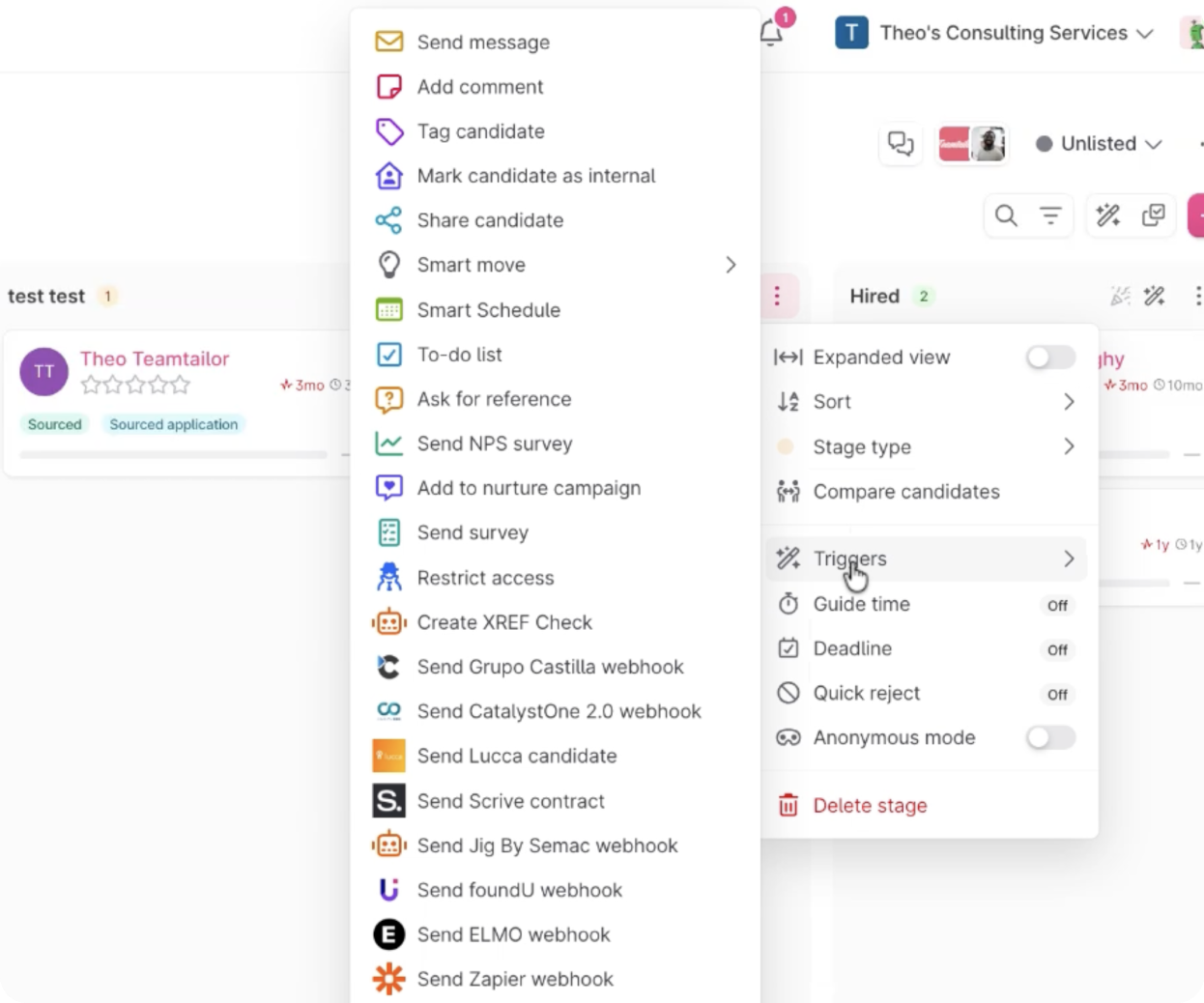
Navigate to desired stage in your recruitment flow and set up a “Create XREF Check” trigger. Select a check and assign a role, your available checks will pull through from xref into teamtailor. Once completed, you can now add the trigger.
Once the trigger has been added, any candidate that is dragged into that trigger will automatically me sent to Xref. The selected candidate will then receive an email from Xref inviting them to complete the Xref check.
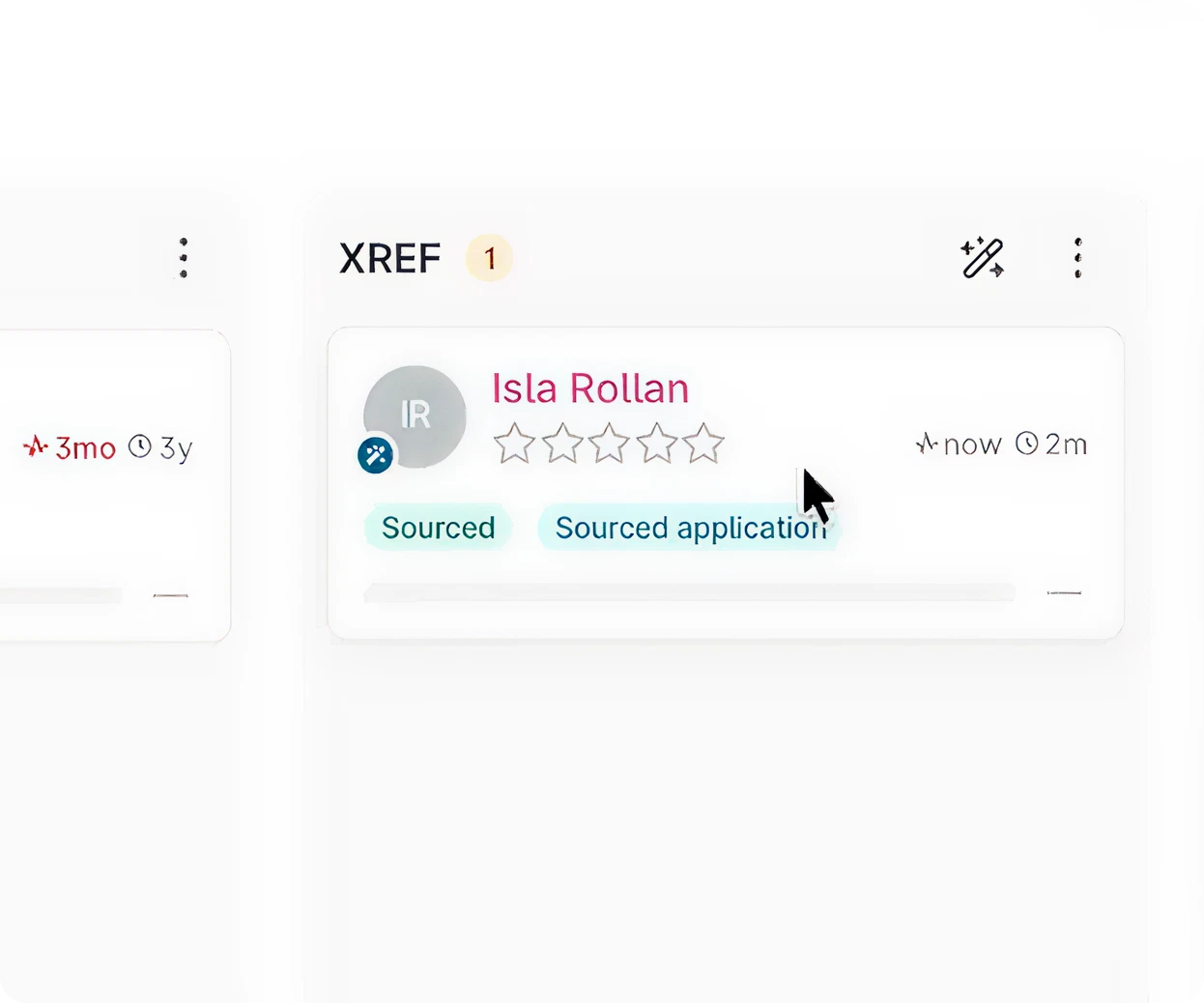
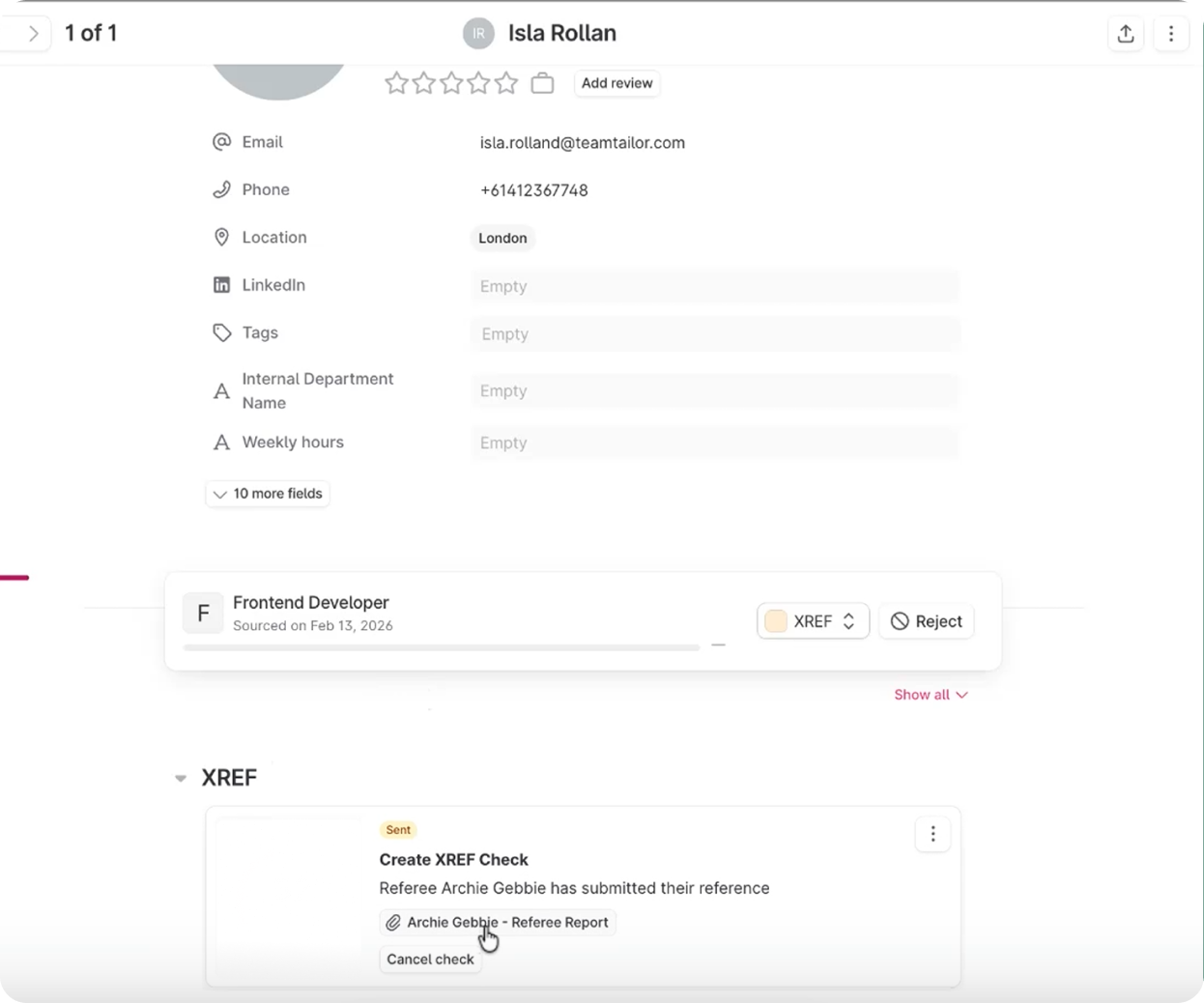
The hiring manager will be kept up to date with how the checks are proceeding within teamtailor. Once a check is completed you can then review that report in Xref from the candidate card.
You can also send checks individually without creating a trigger by selecting a candidate card, selecting “add integration” and selecting Xref, sending the reference check individually.

Create compliant, non-bias surveys in seconds. Choose a Reference or Exit Survey template or build your own from a selection of HR-approved, compliant, non-bias questions.

Receive feedback faster with automated requests. Save time and reduce manual, repetitive tasks with automated survey requests, easily accessible all in one place.

Build strong talent relationships with centralised people records. Person-specific feedback is stored in one place to easily recruit, retain and remember talent.

Know your next move with people and organisational insights. From an aggregated overview of data to detailed feedback, find the insights you need to make confident business decisions.
Book a tailored consultation to discover how Xref can improve your organisations workflow today.


